Features
From floor plan to shielding specification
BarrierSIM gives medical and health physicists a clear, to-scale workflow for designing and documenting facility shielding.
Start from the drawing you already have
Open the facility floor plan as a DXF from AutoCAD, QCAD or any CAD tool. Calibrate it to metric units and the DXF becomes your BarrierSIM project file, so the architect and the physicist work from the same drawing.
- Lines, polylines and points from any layer
- Calibration to real-world metres
- Dimensions and notes that CAD tools can read

Lay out barriers and sources to scale
Mark walls, doors and screens as barriers with their material and thickness, and place radioactive sources with isotope and activity. Snapping to the grid, angles and endpoints keeps everything where you intend it.
- Concrete, lead and other barrier materials
- Isotope library with cited half-lives and dose-rate constants
- Point arrays for rows of uptake bays or patients
- Full undo
See the dose rate everywhere, instantly
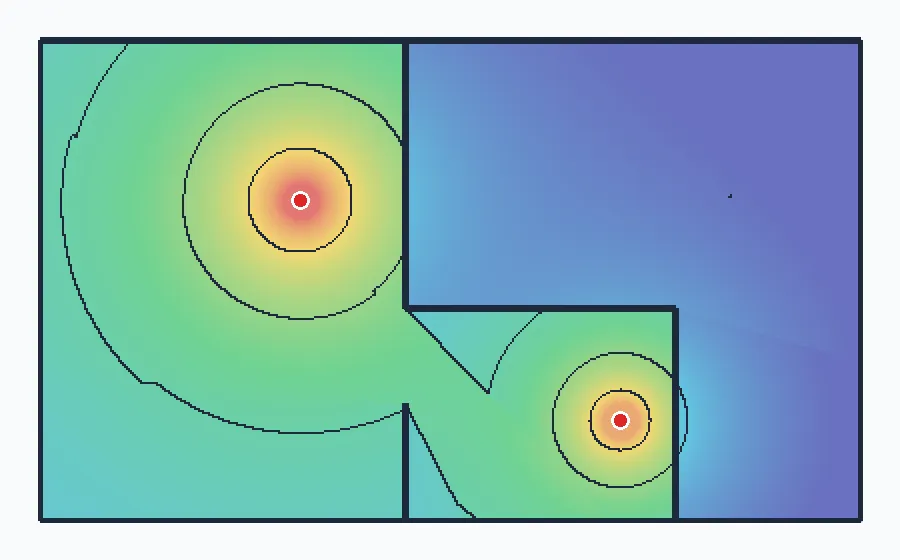
BarrierSIM traces a ray from every source to every grid cell and applies the transmission of each barrier it crosses. Thicknesses of the same material are combined before transmission is calculated, as the reference methods require.
- NCRP Report 147 methods
- AAPM TG-108 transmission for F-18 PET
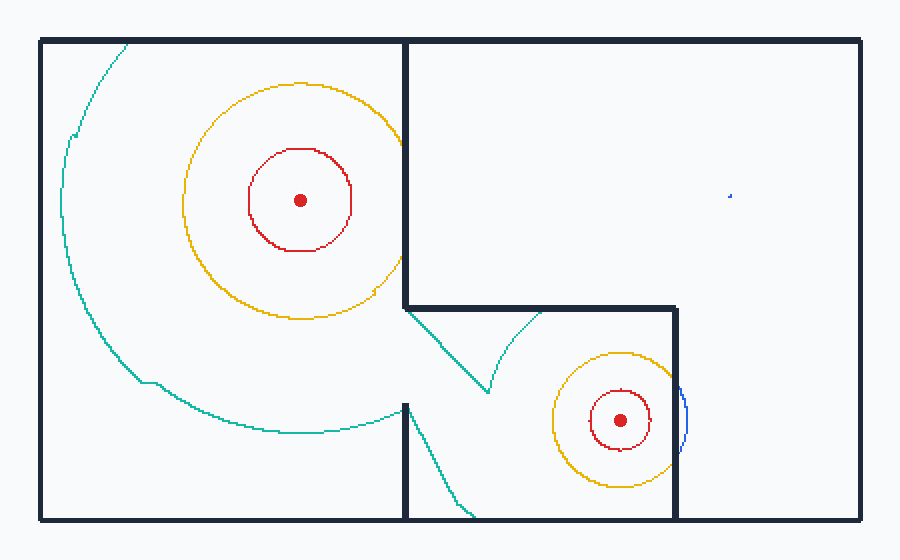
- Vector isodose contours at logarithmic levels
Hand over a specification you can defend
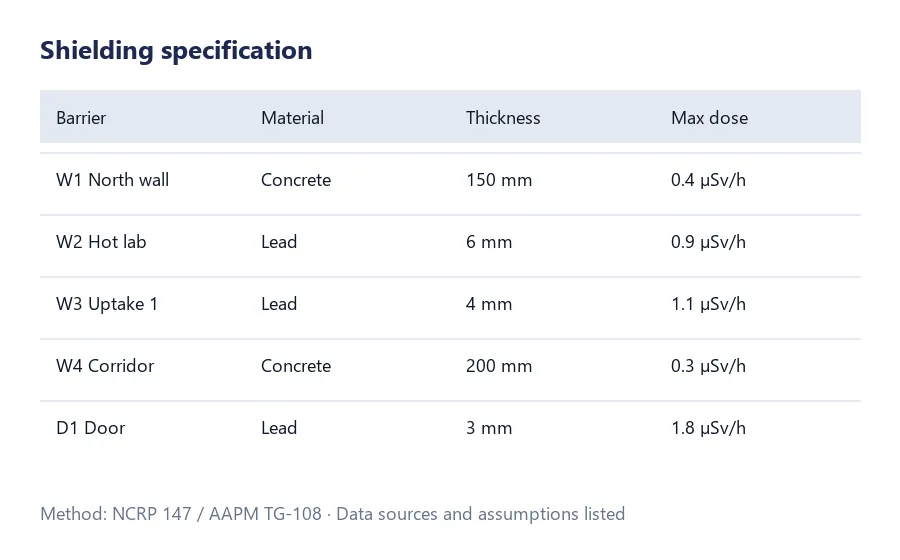
Export the barrier specification for the architect, and for regulators and accreditation bodies. It lists each barrier with its material and thickness, together with the calculation method, assumptions, data sources and any data warnings.
- CSV specification for each barrier
- Method, assumptions and references included
- PNG export of the dose map